Navigation
Plans4Trips Help
Using Discovery to Create Tours Recommended
Why Use Discovery?
Discovery lets you browse a wide selection of tours shared by other users or curated by local experts. You can quickly adapt an existing tour to fit your needs, saving time and benefiting from proven itineraries.
How to Use Discovery
- Click Discover Tours on your dashboard.
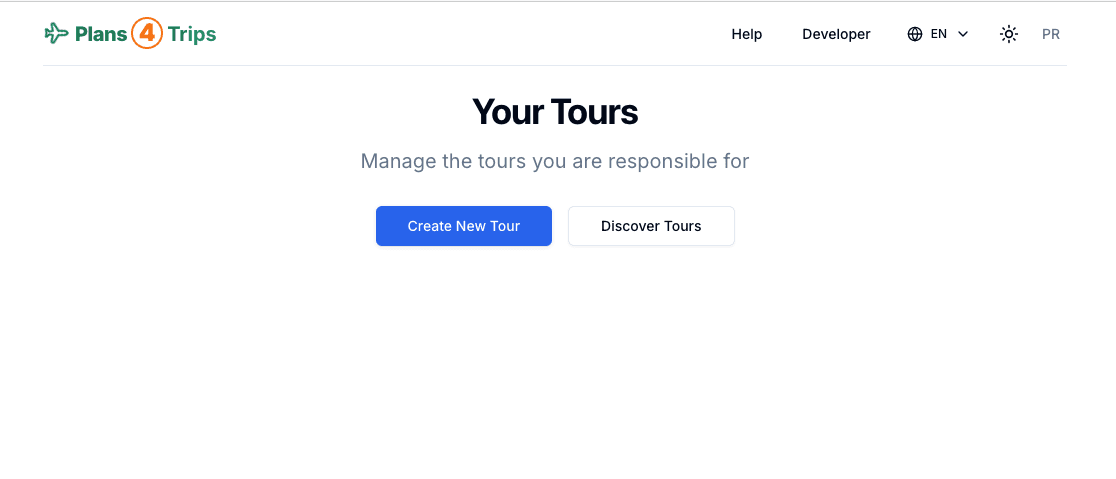 Screenshot: Discover and Use Existing Tours
- Browse or search for tours that match your interests or destination.
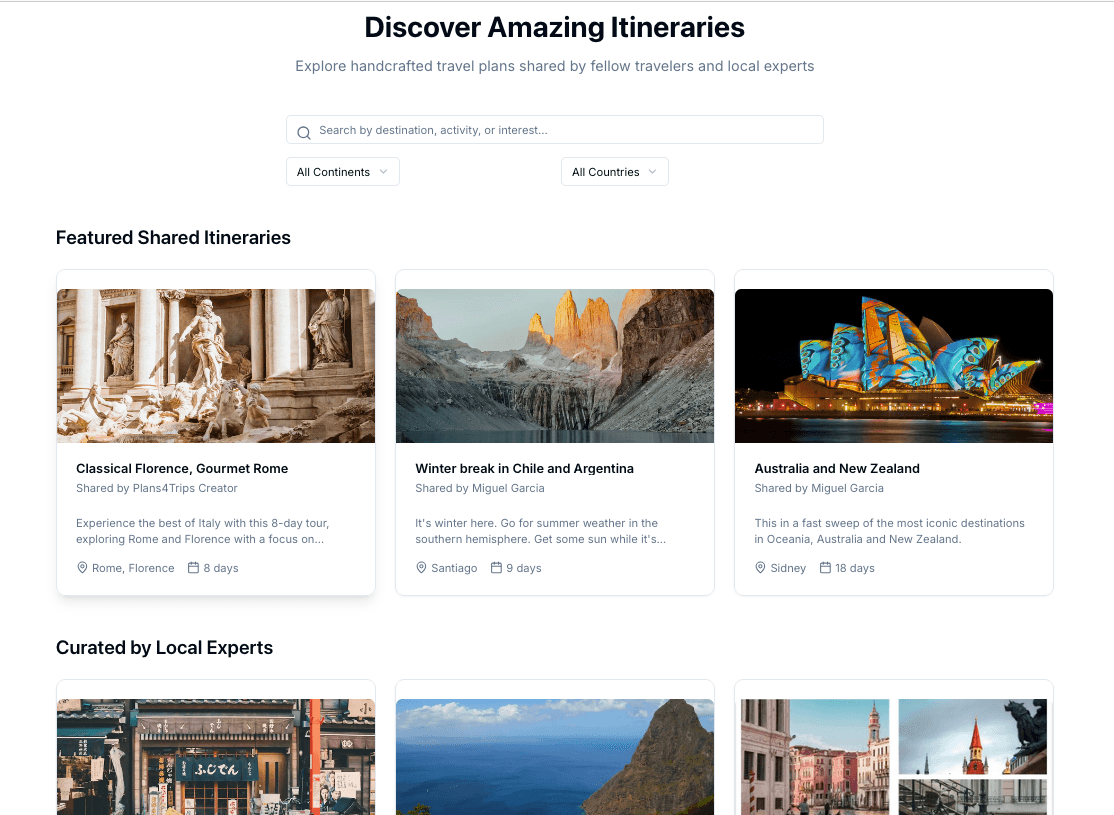 Screenshot: Browse and search available tours
- Preview the details and itinerary of any tour.
- Pick the dates that would apply to you and click Use this Tour to adapt it for your group.
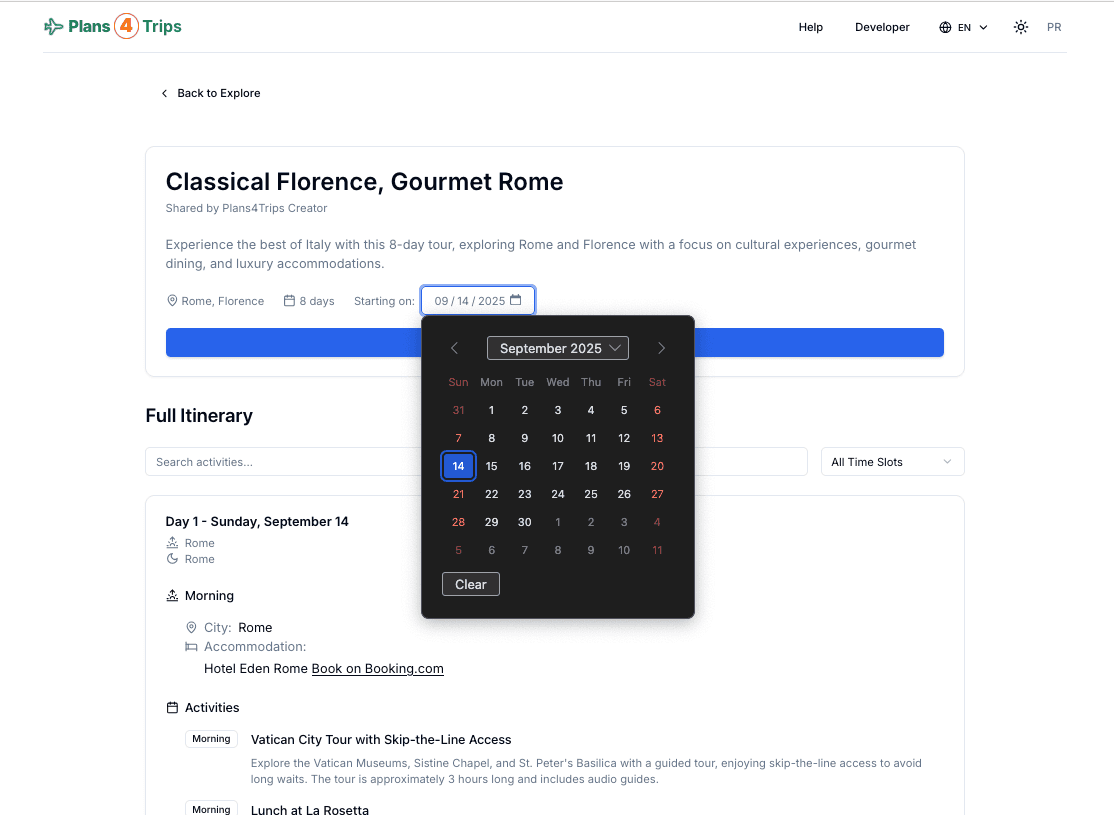 Screenshot: Select your dates and use the tour
- Save your new tour and start managing it as the administrator.
- Customize the itinerary, dates, and participants as needed.
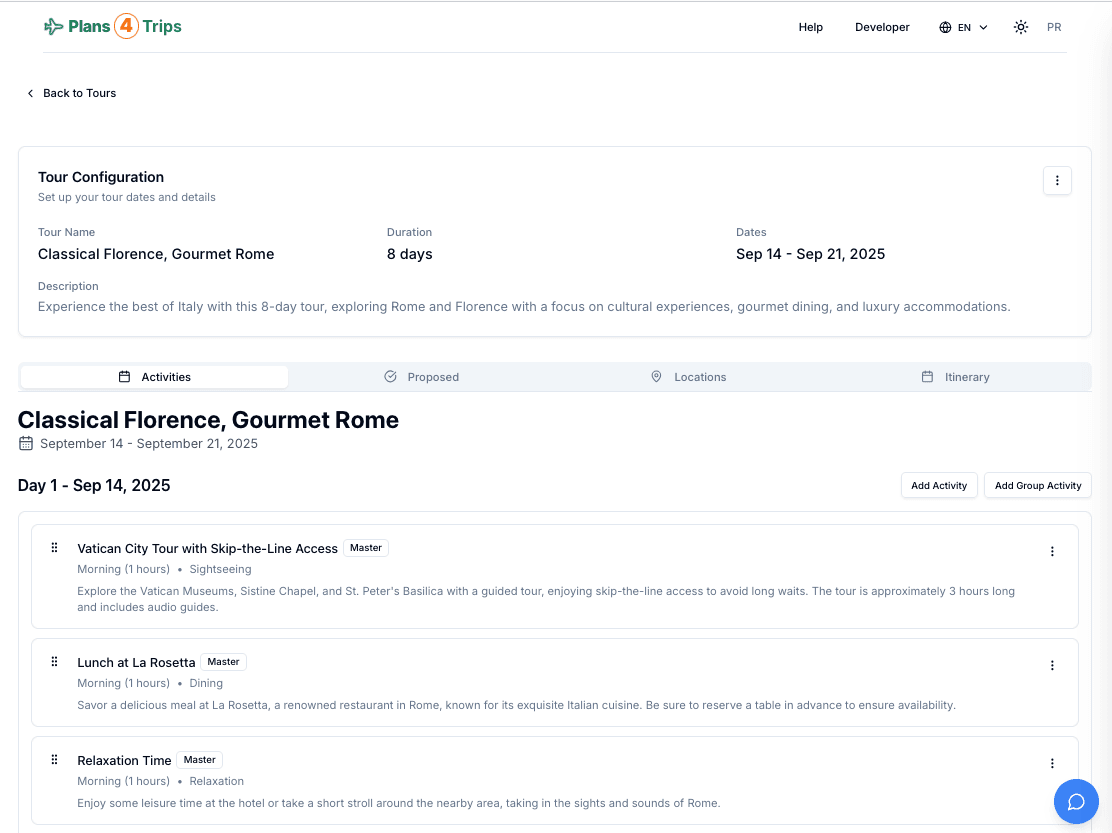 Screenshot: Customize your tour to your needs